
Bug reporting · Chrome extension
Bug reports developers actually love.
One click captures video, console logs, network traffic, and the full debug context, saved directly to your machine.
No cloud upload · Free forever for the basics
Sends reports to
The promise
Capture everything a developer needs to fix a bug, without sending a single byte to the cloud.
Most bug reporting tools quietly upload your console logs, network requests, and screen recordings to someone else's servers. That data routinely contains user identifiers, API keys, and internal URLs.
Glitch keeps everything on your machine. Recordings save to your Downloads folder. Debug logs live in your browser. There is no backend, no database, no company with access to your data, by design. Capture is unlimited and free; Pro adds team integrations and Google Drive backup, but the local-first promise never changes.
Draw on recordings as they happen.
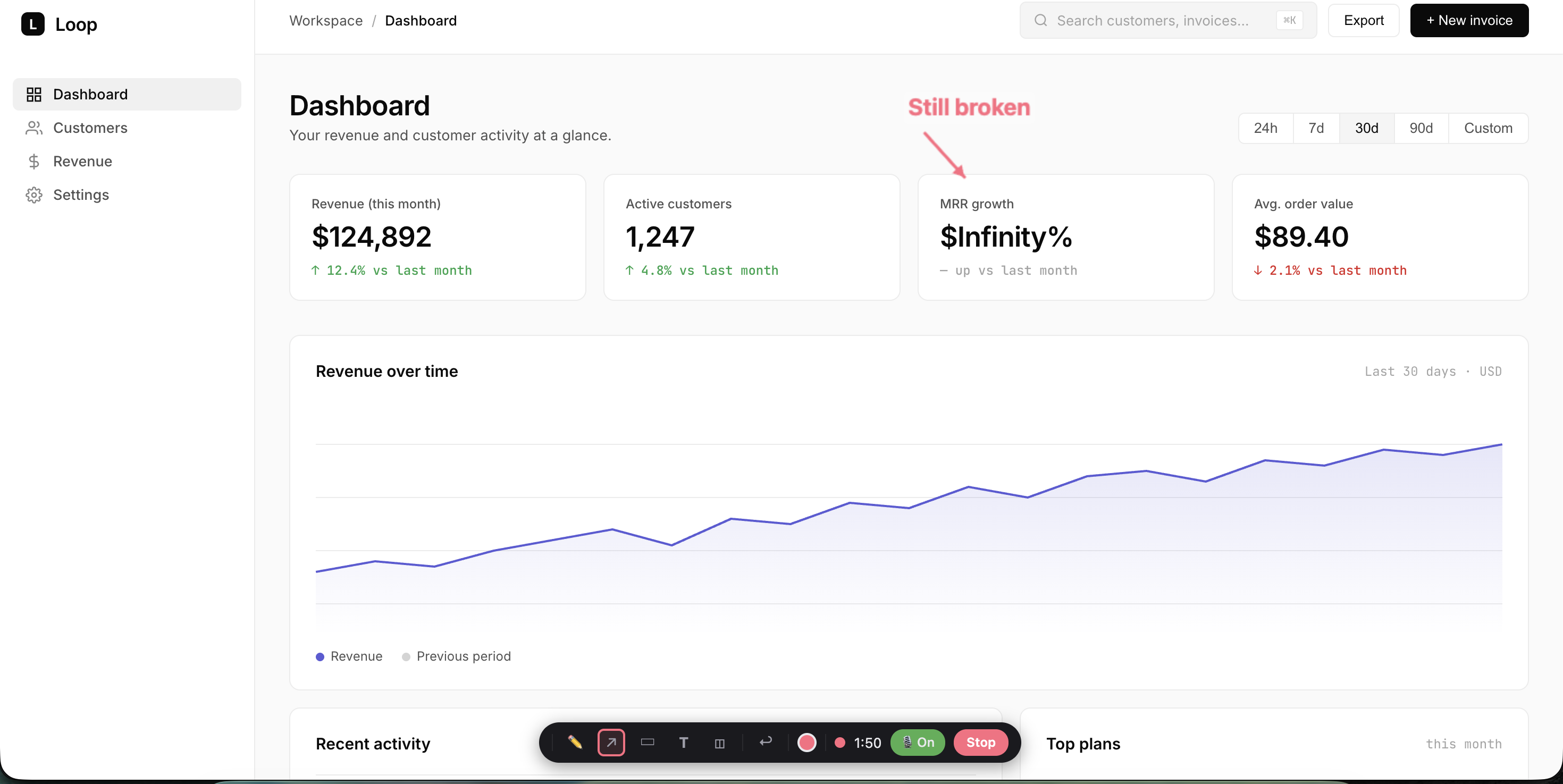
Record any tab or your entire desktop. Live annotation tools let you mark up the screen in real time. Drawings bake straight into the video.
- Tab or full-desktop capture
- Live pen, arrow, rectangle, text and blur
- Microphone audio merged into the video
- Survives tab navigation without interruption
Annotate and capture in seconds.
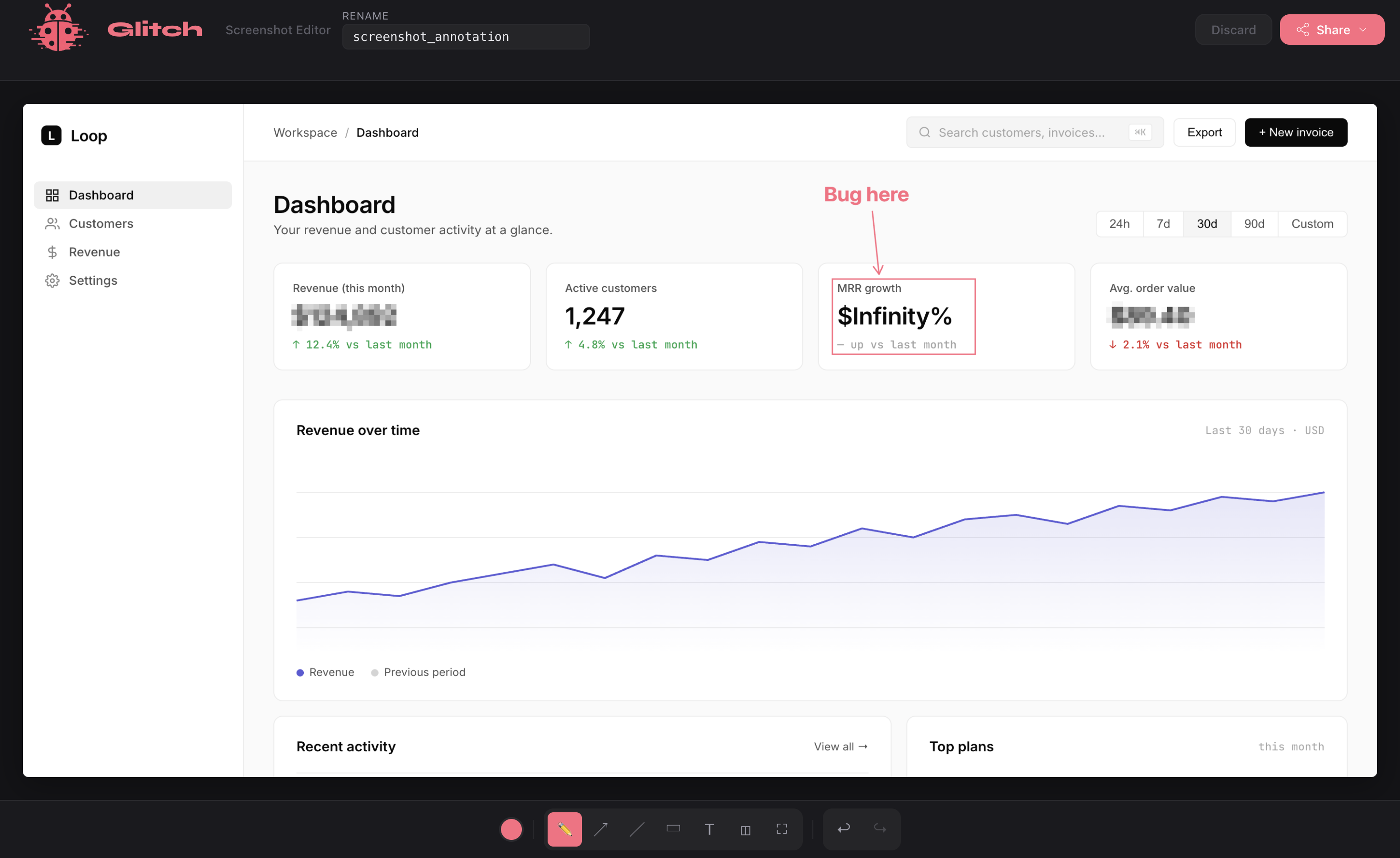
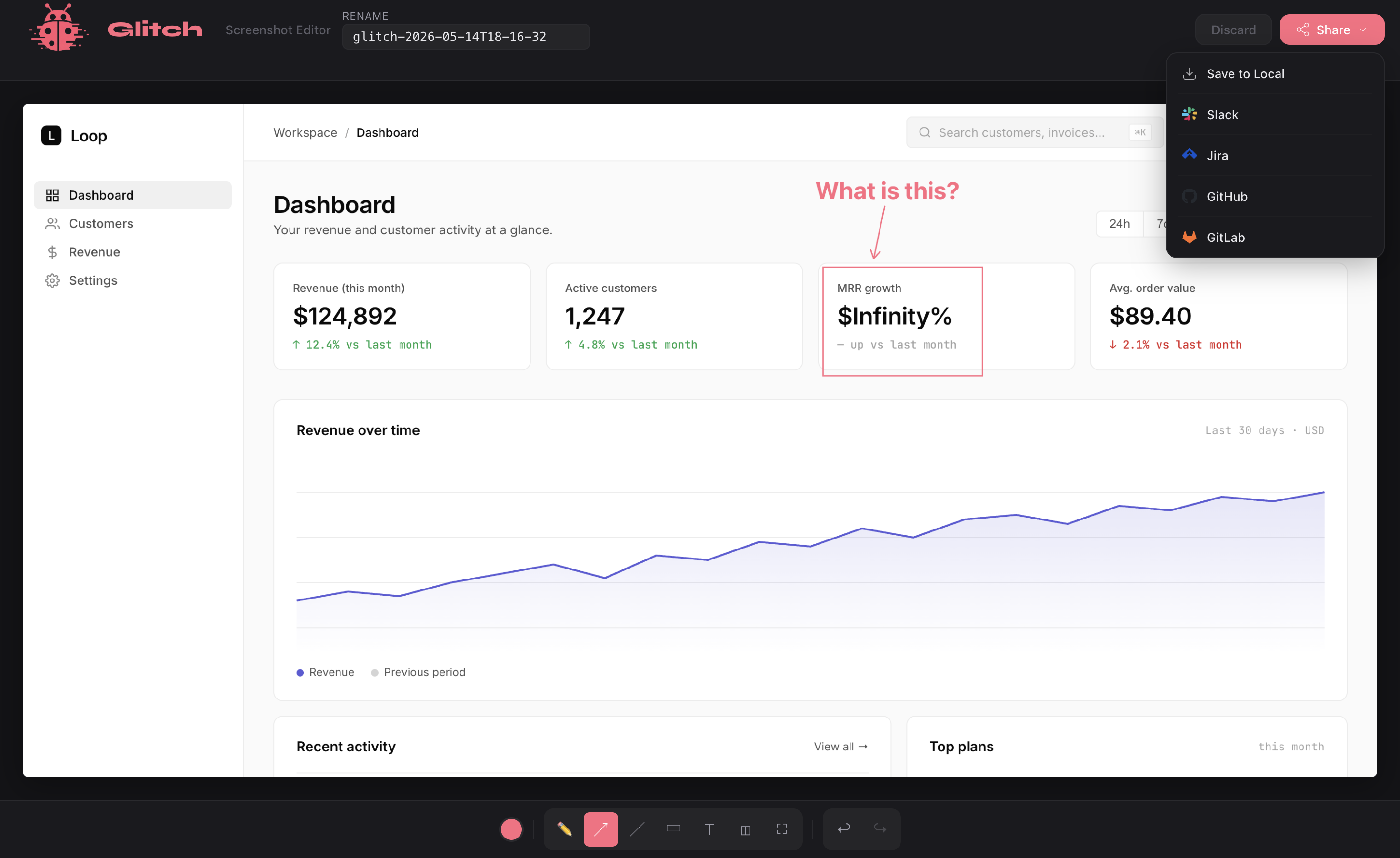
Full-page or area-select screenshots with a built-in annotation editor. Blur sensitive content, draw arrows, add text, then share or attach to any ticket.
- Full-page or drag-to-select area
- Pen, arrow, rectangle, text, blur, crop
- Configurable delay: 0s, 3s, or 6s
- Saves as a self-contained HTML report
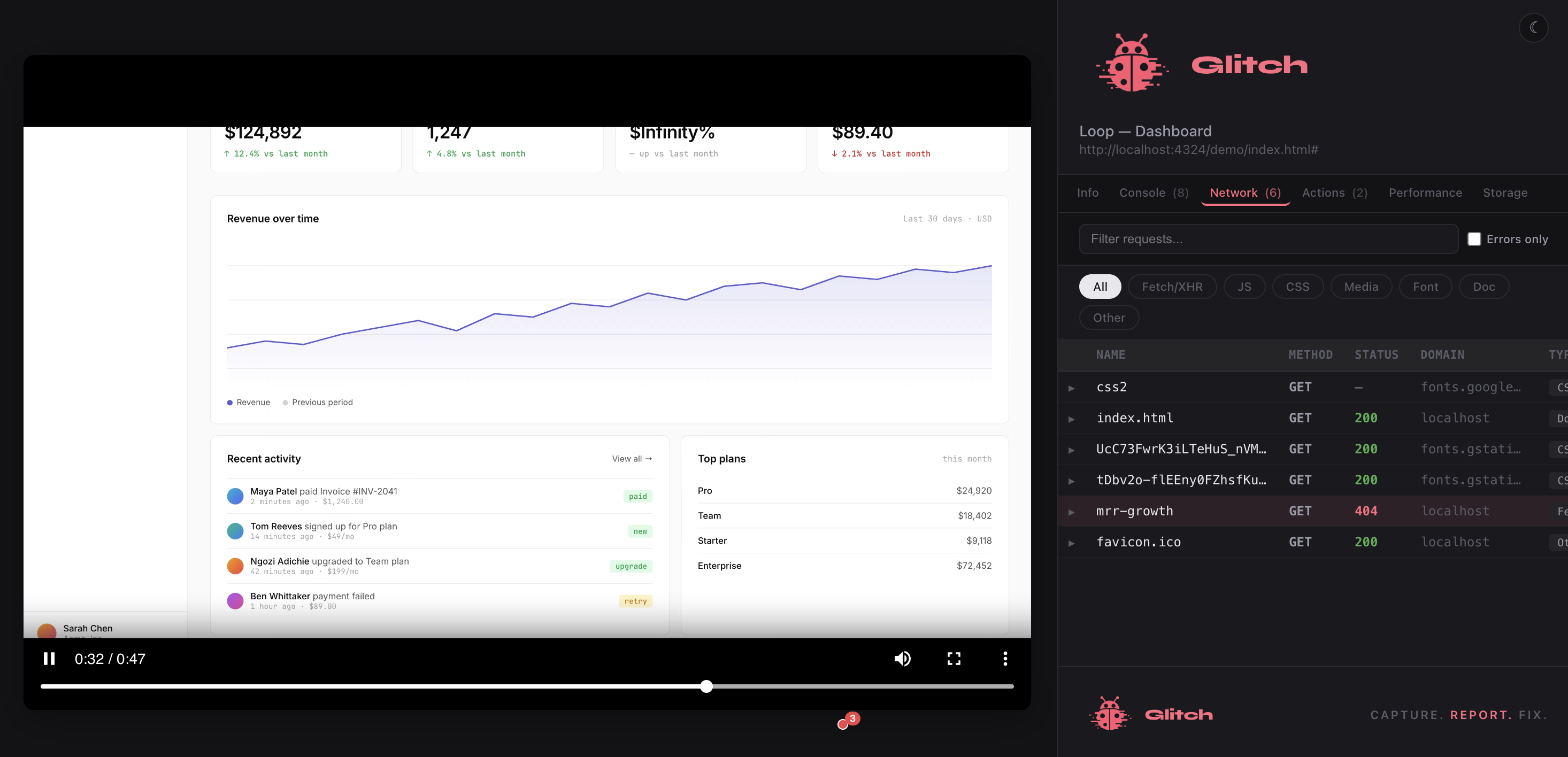
Capture bugs that already happened.
Glitch keeps a rolling two-minute video buffer in the background on sites you choose. When a bug appears, Share Last Minute. The footage is already there.
- Two-minute rolling buffer per site
- Auto-enables on sites you visit often
- Share Last Minute saves retroactively
- No measurable performance impact
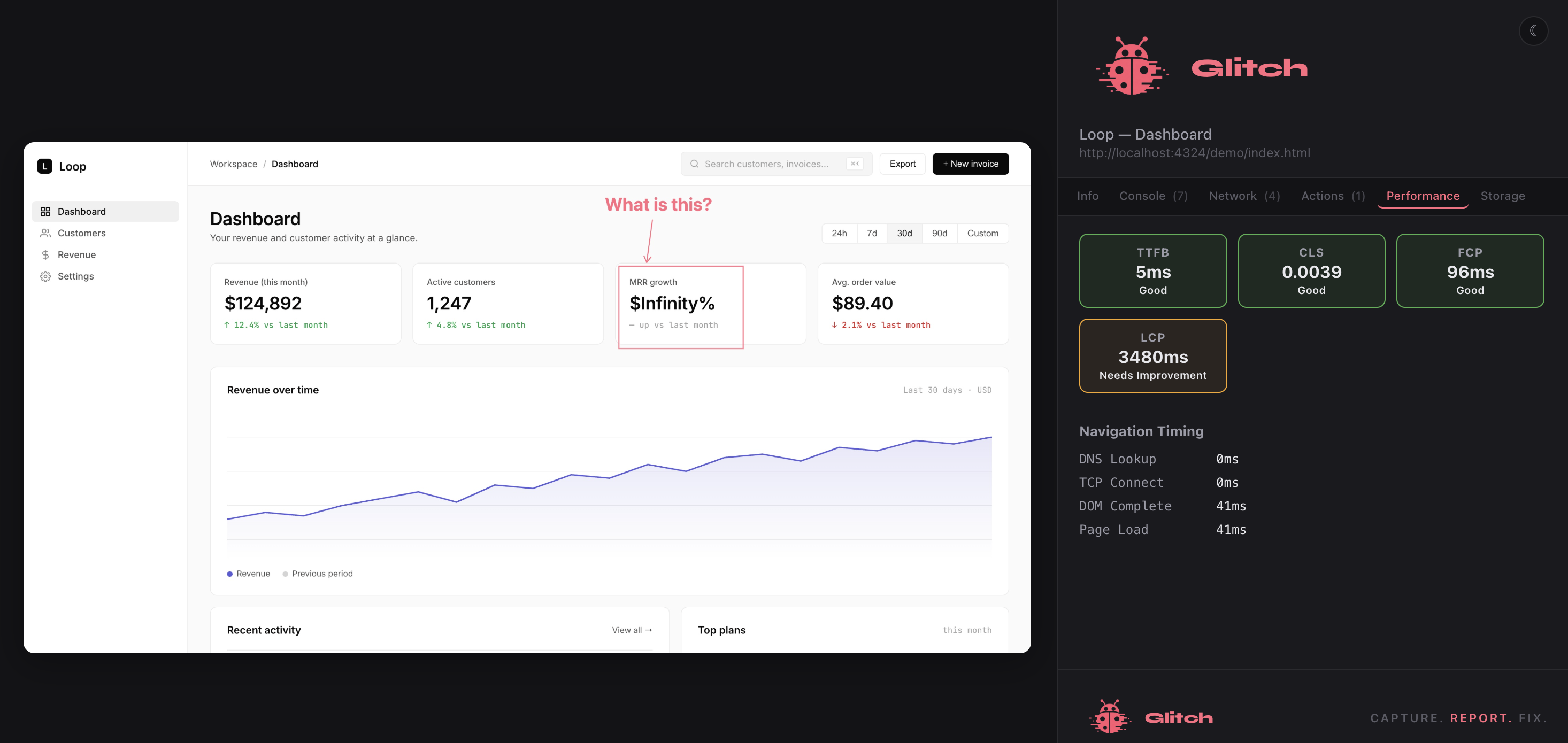
Everything a developer needs, automatically.
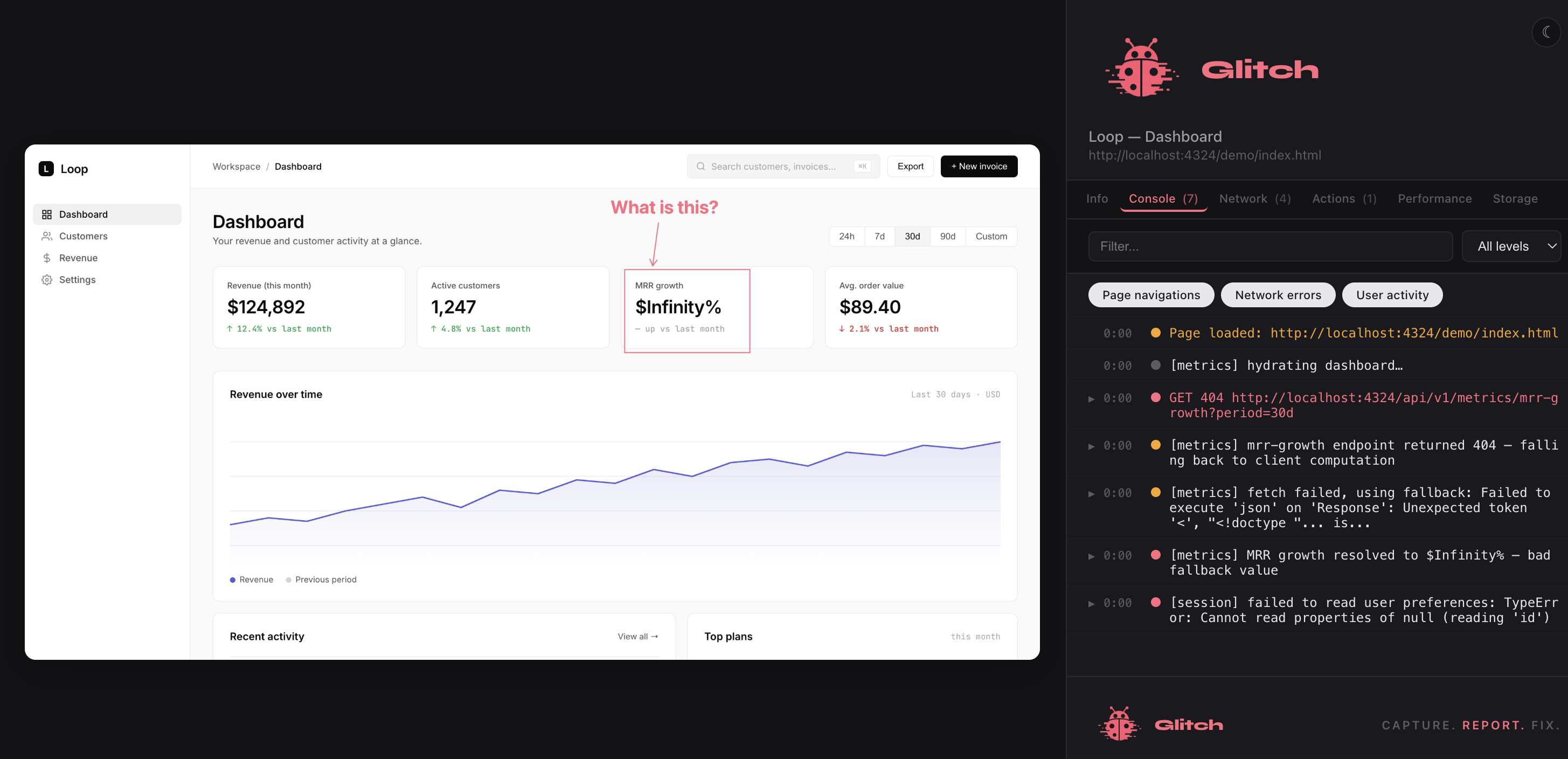
Every report includes the full technical context: no manual log copying, no can-you-reproduce-it back-and-forth. Sensitive data is redacted before it reaches the report.
- Console, network, and WebSocket messages
- Core Web Vitals: LCP, CLS, INP, FCP, TTFB
- Storage snapshot: localStorage, sessionStorage, cookies
- Full environment: browser, OS, viewport, memory, connection
Open anywhere. No viewer required.
Every capture generates a standalone HTML file with tabbed views for every data type. Attach to Jira, email it, or open it locally. It works everywhere.
- Console · Network · WebSocket · Performance · Storage tabs
- User actions with timestamps and click paths
- API keys, JWTs, and auth tokens auto-redacted
- Share via Slack, Jira, GitHub, GitLab, ClickUp, Notion, Linear, or Azure DevOps
In your downloads
One file. Everything a developer needs.
- 01 Screen recording annotations baked in · mic audio merged · seekable video
- ∞ Console messages log · warn · error · info · debug · stack traces json
- ∞ Network requests URLs · methods · headers · payloads · auto-redacted json
- ∞ User actions clicks · form inputs · scrolls · navigations json
- 01 Core Web Vitals LCP · CLS · INP · FCP · TTFB · long tasks json
- 01 Storage snapshot localStorage · sessionStorage · cookies json
- 01 Environment fingerprint browser · OS · viewport · memory · network type json